






To complete a Roku login, open my.roku.com in a browser, select the sign-in option, and follow the instructions for your account. After signing in, you can review linked Roku devices, account information, purchase history, payment settings, and eligible subscriptions. You do not need to navigate your television’s menus to handle most of these tasks. Your […]
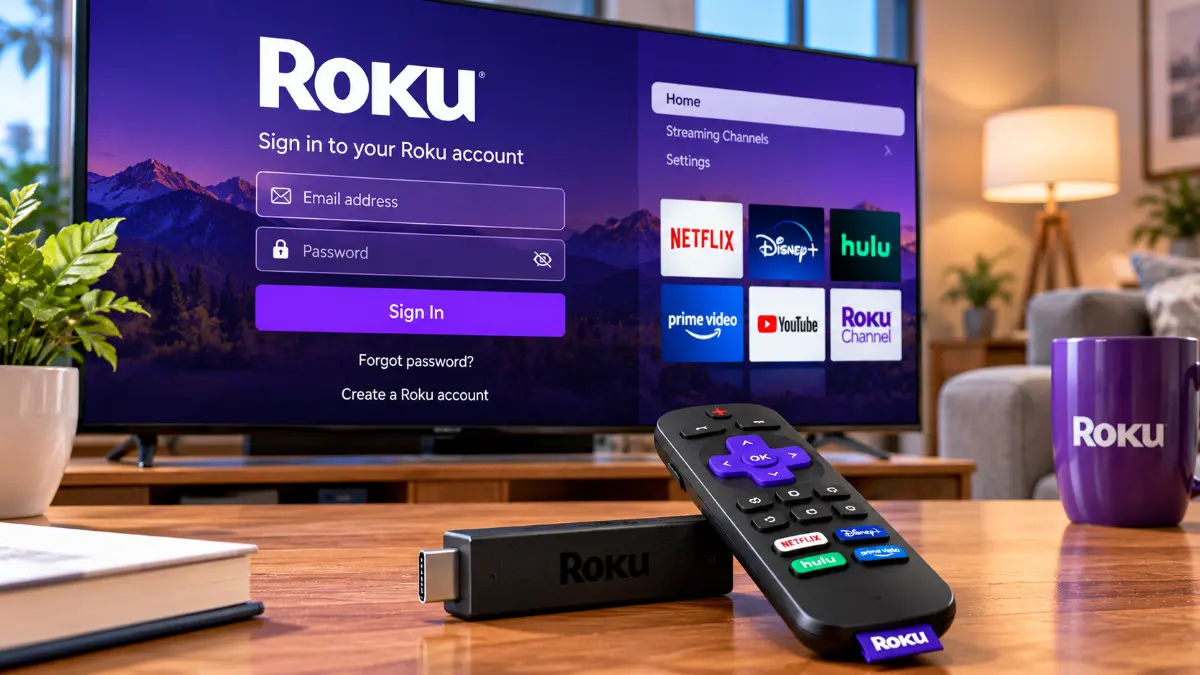
To complete a Roku login, open my.roku.com in a browser, select the sign-in option, and follow the instructions for your account. After signing in, you can review linked Roku devices, account information, purchase history, payment settings, and eligible subscriptions. You do not need to navigate your television’s menus to handle most of these tasks.
Your Roku account is different from your Netflix, Disney+, or other streaming-service account.
How to Sign In to Your Roku Account
Roku’s official account site is my.roku.com. Use it on a phone, tablet, or computer.
- Open the official account website directly.
- Select Sign in and enter the requested account credentials.
- If Roku requests extra verification, follow the instructions shown.
- Once authenticated, open the relevant account-management section.
Roku supports two-step verification using a six-digit code sent to the email associated with the account. Some users may also be offered a verification method using a linked device ID. Never share a verification code with someone who calls or messages you unexpectedly.
Creating a Roku account is free. So is activating a Roku player or TV. A website demanding a separate activation payment is not part of Roku’s legitimate setup requirements.
What You Can Do in Your Roku Account
Your account brings together several controls that otherwise require different screens or devices.
Review Subscriptions and Renewal Dates
Open my.roku.com/subscriptions to check subscriptions associated with Roku billing. Eligible Roku-managed subscriptions can be canceled by opening the active subscription, choosing Manage subscription, and selecting Turn off auto-renew. Access normally continues until the paid billing period ends.
There is an important exception: Roku’s September 2026 guidance says Disney+, Hulu, and Sling TV subscriptions must be managed or canceled through their respective providers, even when Roku bills you. Subscriptions purchased directly from other streaming companies likewise need to be managed with those companies. Check who manages the plan before trying to cancel it.
Find Charges and Payment Details
The Roku account area provides purchase history and invoices for eligible Roku transactions. If a charge looks unfamiliar, compare its date and description with your subscriptions and purchases.
You can also review your payment method in account settings. Update it only through the official account website, not through an unexpected email link requesting card details. A subscription not appearing under your account may belong to another Roku account or be billed by its streaming provider.
Manage Multiple Roku Devices
One Roku account can be used with more than one compatible Roku device. Roku generally recommends this approach because your account groups linked devices, purchase information, and important settings together.
Each device can be linked to only one Roku account at a time. If you maintain separate accounts for children’s and adults’ devices, you may have different app availability, settings, and purchase histories.
Remove an Old Device Safely
If you still have a Roku player or TV that you plan to sell or give away, perform a factory reset first. Roku says this clears personal preferences and account information and returns the device to initial setup.
If you no longer possess the device, sign in on the Roku website and locate My linked devices to unlink it. Unlinking a device is not the same as closing your account or canceling subscriptions. Check recurring payments separately before assuming all charges will stop.
Change Your Roku Email or Password
When you are already signed in, open Account information. Roku’s instructions say you can enter a new email or password, confirm it, provide your current password when requested, and save the changes.
Use an email address you can access reliably. Roku may send security messages, password-recovery links, and activation instructions to that mailbox. Choose a unique password rather than recycling the same one used for other services.
If you forgot the password, use Roku’s official recovery option. If you have lost access to the account email entirely, Roku directs you to customer support. Creating a second account can complicate access to existing devices and purchases.
Understand Roku PIN Settings
A Roku PIN is a four-digit control, not a substitute for your sign-in password. Depending on the settings and supported services, Roku may ask for it before certain purchases, subscriptions, or app additions. Some parental-control options also use a PIN.
Review PIN preferences in your Roku account, particularly if children or other household members use the same device.
Roku Account vs. Streaming App Accounts
A working Roku account does not automatically sign you into every installed app. A service such as Netflix can maintain its own password, subscription status, and device limits.
For instance, if one app asks you to sign in again while other apps work, investigate that provider’s credentials first. Changing your Roku password will not reset your Netflix password. Similarly, subscribing directly with a provider does not transfer its billing management to Roku merely because you watch on a Roku TV.
The clearest question is: Which company created or manages the account asking for credentials? The answer points you to the correct sign-in or support page.
Find the Email Linked to Your Roku TV
If you cannot remember which Roku account you used, check the device itself. From the home screen, open Settings > System > About. Roku says the account email can be found there.
Confirm the email before requesting a reset; otherwise the recovery message may go to an inbox you are not watching.
Keep Your Account Secure
Open official Roku pages by typing their address into your browser. Protect the email account associated with Roku, use a unique password, and never give a verification code to an unsolicited caller. A purchase PIN adds a useful layer for certain actions but does not replace careful account security.
Remember that account creation and activation are free.
Conclusion
The simplest way to manage Roku is to sign in through its official website, then choose the account setting you need. Check who controls a subscription before attempting cancellation, keep track of linked devices, and use the correct provider for individual streaming-app accounts. If you cannot sign in, confirm the device’s registered email before starting account recovery.
Read more: Roku Login
Frequently Asked Questions
Where is the official Roku login page?
Use my.roku.com to reach Roku’s official account area and follow its sign-in instructions.
Is a Roku account free?
Yes. Roku does not charge for account creation or device activation, although selected content and subscriptions cost money.
Can I use the same Roku account on two televisions?
Yes. Multiple compatible Roku devices can share an account, though each device can be linked to only one Roku account at a time.
Where can I see Roku subscription charges?
Review your account’s subscriptions, purchase history, and invoices. If the charge belongs to another provider or account, check there instead.
Can I cancel a Roku-billed Disney+ subscription on Roku?
Roku’s current guidance says to contact Disney+ to manage or cancel it, even if Roku processes the payment.
How do I find my Roku account email?
On the Roku device, open Settings > System > About and check the displayed account information.
What does a Roku PIN control?
Depending on your preferences and supported features, it can restrict certain purchases, app additions, and parental-control activities.
Does unlinking my Roku device cancel subscriptions?
No. Unlinking removes that device from the account; you must manage eligible subscriptions separately.
Why doesn’t my Roku password work in Netflix?
Netflix uses separate credentials. Sign in with the Netflix account associated with your subscription, not necessarily your Roku account password.