






17 Track helps you check where a package is by searching its shipping tracking number across supported carriers. The service, branded 17TRACK, gathers tracking events from delivery companies into one view. That makes it particularly useful when an international purchase passes through several logistics networks. It cannot move your parcel, correct its address, or promise […]
17 Track helps you check where a package is by searching its shipping tracking number across supported carriers. The service, branded 17TRACK, gathers tracking events from delivery companies into one view. That makes it particularly useful when an international purchase passes through several logistics networks. It cannot move your parcel, correct its address, or promise a delivery date. For those requests, you’ll need the seller or carrier. Here’s how to track a shipment, interpret its status, and decide when a lack of updates deserves attention.
How 17TRACK Finds Your Shipment
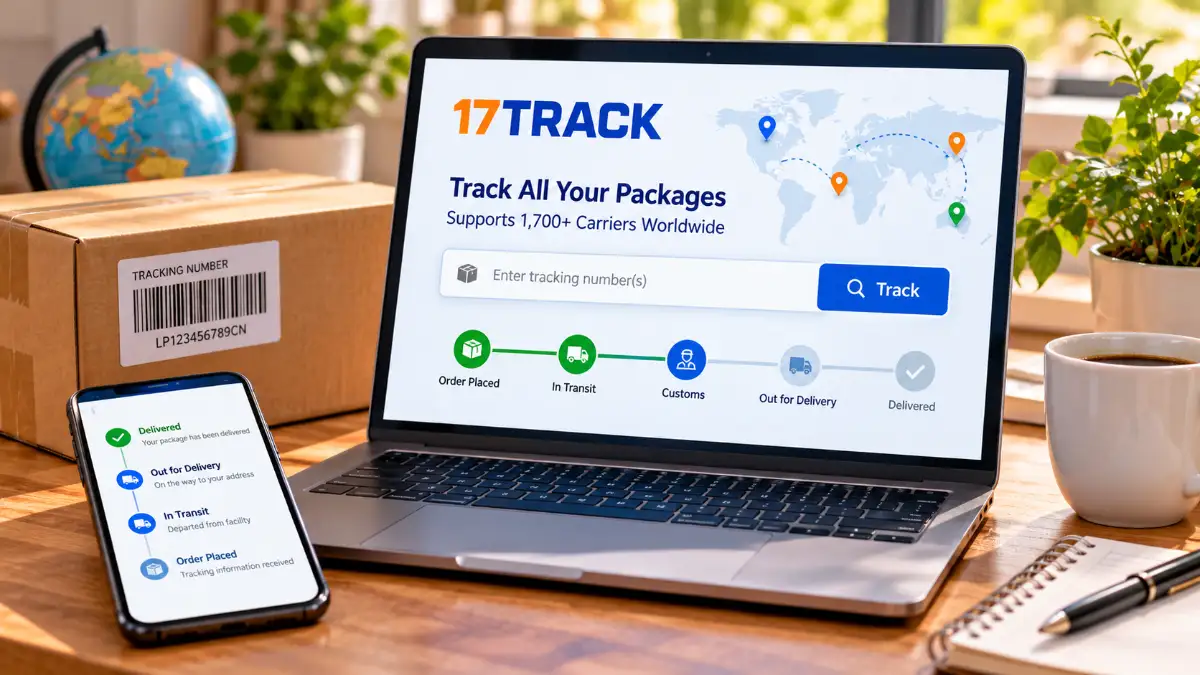
17TRACK is a tracking-information platform, not a delivery company. It queries available records from carriers, then presents details such as acceptance scans, transportation events, and delivery outcomes. The official operation instructions explain that the system normally identifies the carrier automatically, although some numbers require manual selection.
A timeline isn’t a live GPS location. It reflects the events that shipping companies record and share. If a parcel is between facilities, the last visible scan might be several days old even while the shipment continues moving.
How to Use 17 Track in Five Steps
1. Find the Shipping Number
Check the dispatch email, store account, marketplace order details, or shipping receipt. Copy the entire tracking number. A seller’s order reference may be different and might not work on a carrier tracker.
2. Open the Official Tracker
Visit 17TRACK’s tracking website rather than following an unfamiliar link in a text message.
3. Search the Number
Paste your tracking number and submit the query. If the carrier has published records for that number, the results should show available shipment events. You can also query multiple numbers, although interface limits can change.
4. Check the Carrier Name
Automatic detection sometimes produces several potential matches. Compare the carrier with the name in your seller’s shipping confirmation. If the result looks wrong, select the appropriate company manually where that option appears.
5. Open the Detailed Timeline
Don’t stop at a headline such as “In Transit.” Read the individual scans, locations, and dates. You might discover that the parcel has cleared customs, entered a local network, or been handed to another carrier.
The Nine Main 17TRACK Statuses Explained
According to 17TRACK’s tracking-status documentation, its API uses nine main categories. These labels are summaries; substatuses and event descriptions add context.
| Status | What It Tells You |
| Not Found | The inquiry returned no tracking information |
| Info Received | The carrier received shipment information |
| In Transit | The parcel is moving through the shipping process |
| Expired | The parcel has remained in transit for an extended period |
| Available for Pickup | The parcel is waiting at a collection point |
| Out for Delivery | The shipment is on its final delivery round |
| Delivery Failure | A delivery attempt did not succeed |
| Delivered | The carrier reports completed delivery |
| Exception | An unusual event has interrupted normal handling |
Info Received Doesn’t Always Mean Shipped
A seller can create a shipping label before physically handing over the box. “Info Received” usually means electronic information has arrived at the carrier, not necessarily the parcel itself. Look for a pickup or acceptance scan before assuming transportation has started.
In Transit Includes Several Different Stages
The same broad label can apply when a shipment leaves its origin country, enters the destination country, or undergoes customs clearance. Read the substatus to find out which event occurred. A customs-processing notice doesn’t automatically mean something is wrong.
Out for Delivery Isn’t a Guarantee
The package has reached the local delivery stage, but weather, access problems, and other disruptions can prevent the expected handoff. “Delivered” means the carrier’s records indicate delivery; it doesn’t independently confirm you personally received the item.
Exception and Delivery Failure Are Different
“Delivery Failure” refers to an unsuccessful delivery attempt, perhaps because the address was insufficient or the recipient was unavailable. “Exception” is broader: the parcel might be delayed, detained, returned, damaged, or affected by another irregular event. The detailed scan should guide your next move.
Why a Tracking Number Shows Not Found
A fresh tracking number can exist before the first carrier scan. An incorrect digit, wrong carrier, temporary interface problem, or unsupported service can also explain an empty result. Compare the number with your original shipping notice first.
If the seller says the package shipped recently, a little time for processing may resolve the issue. If the number still cannot be verified, ask the merchant for the carrier’s name, acceptance date, and correct tracking reference. The seller should be able to explain who physically holds the shipment.
Why International Updates Sometimes Pause
Overseas deliveries often involve an origin carrier, international transport, customs, and a local delivery company. Each stage may use its own systems and scan schedules. A gap between departure and arrival records doesn’t prove the parcel is lost.
Check the promised delivery timeframe rather than treating every quiet day as an emergency. If the delivery window passes, request a specific update from the seller. If tracking mentions missing customs information or unpaid legitimate import charges, verify the requirement directly with the responsible organization before responding to a message.
When to Switch to the Official Carrier Website
An aggregator is convenient for discovering the carrier and following handoffs. The carrier’s own tracking site is better for scheduling redelivery, reporting a missing parcel, or checking location-specific delivery records.
For example, USPS tracking guidance distinguishes a created shipping label from a parcel physically received by USPS. It also explains what to do when an item is marked delivered but cannot be found.
If Tracking Says Delivered but Nothing Arrived
First check the last-mile carrier’s official page. Then look around doors, mailbox areas, parcel lockers, sheltered spots, and building reception. Ask household members whether someone accepted the package.
If it remains missing, follow that carrier’s support or missing-mail process and notify the retailer. Keep the shipping email and any carrier responses. A screenshot of the tracking summary alone may not contain all the information needed to resolve the order.
Final Takeaway
Use 17 Track to see shipment events in one place, especially when multiple carriers handle the journey. Treat each status as carrier-reported information, not proof of a package’s exact real-time location. When the parcel is seriously delayed or missing, contact the company that is actually carrying it and the seller that accepted your order.
- Read more: 17 Track
Frequently Asked Questions
Is 17 Track the same as 17TRACK?
Yes. “17 track” is a common search spelling for 17TRACK, the shipment-tracking platform.
Can I track an overseas order on 17TRACK?
Usually, yes, if the relevant carriers supply supported tracking data. Visibility can vary during handoffs or customs processing.
Why is my new tracking number not recognized?
The carrier may not have received or scanned the parcel yet. Also check for typing mistakes and incorrect carrier selection.
Does Info Received mean my parcel is on the way?
Not necessarily. It can mean only that the carrier has received electronic shipping details before physical pickup.
How frequently does tracking update?
There is no universal update interval. New events depend on carrier scans, data availability, and shipment handling.
Does In Transit mean delivery is today?
No. In Transit covers multiple transportation stages. Look for a separate Out for Delivery update or a carrier-provided estimate.
What should I do if the status says Expired?
Contact the seller and carrier for an investigation. Expired indicates an extended unresolved transit period, not a confirmed delivery.
Why did my package receive another tracking number?
A new local carrier may assign a last-mile reference. Check the event history or ask the seller for that number.
Can 17TRACK change my delivery address?
No. Delivery changes must be arranged with the carrier or sender, subject to the carrier’s rules.