






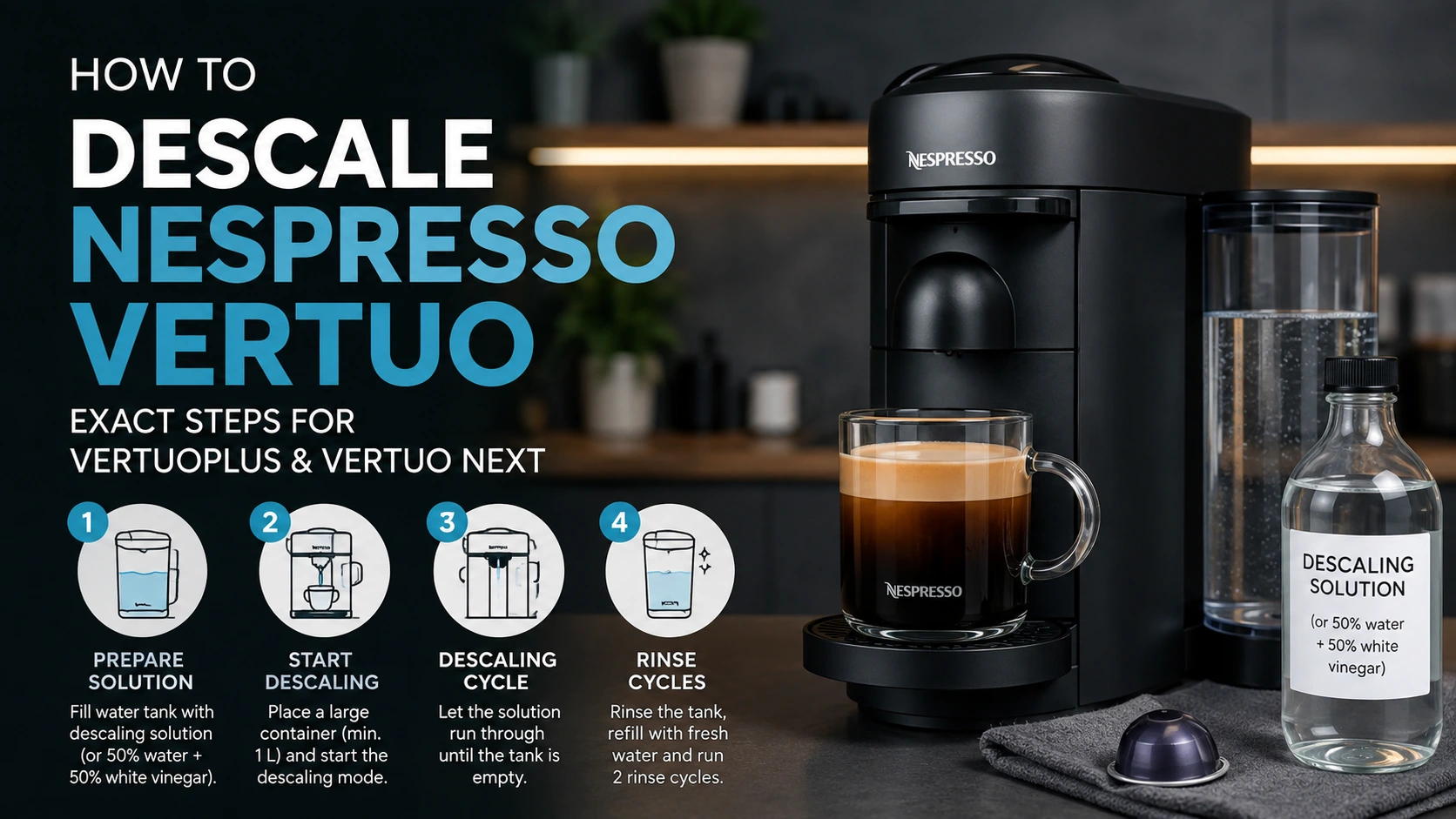
how to descale Nespresso Vertuo: Exact Steps for VertuoPlus and Vertuo Next Descaling flushes mineral buildup from the internal water system of a Nespresso Vertuo machine. Start by identifying your model: VertuoPlus and Vertuo Next use different button, lever, and light sequences. What you need Prepare the machine before entering its maintenance mode. Have these […]
how to descale Nespresso Vertuo: Exact Steps for VertuoPlus and Vertuo Next
Descaling flushes mineral buildup from the internal water system of a Nespresso Vertuo machine. Start by identifying your model: VertuoPlus and Vertuo Next use different button, lever, and light sequences.
What you need
Prepare the machine before entering its maintenance mode. Have these items ready:
- One dose of Nespresso descaling liquid
- 0.5 litre / 17 fluid ounces of fresh water
- A container that holds at least 1 litre / 34 fluid ounces
- A soft cloth
- Mild, unscented detergent for removable parts, if needed
Safety first
- Never drink descaling liquid or the liquid collected in the container.
- Keep the solution away from children and pets.
- Avoid contact with eyes, skin, and food-preparation surfaces.
- Do not make coffee during the descaling procedure.
- Do not substitute vinegar, baking soda, lemon juice, or household cleaners for the descaling liquid.
Find your model
Look for the product name printed on the machine, its base, or its original documentation.
| Model | Descaling approach |
| VertuoPlus | Uses the button-and-lever special-functions menu |
| Vertuo Next | Uses a closed-head lock/unlock and button-hold sequence |
| Other Vertuo machine | Use the instructions specifically written for that model |
Do not follow a VertuoPlus procedure on a Vertuo Next, or the other way around. The machines enter and exit descaling mode differently.
Descale a VertuoPlus
A red-and-green light shown together on a VertuoPlus signals that descaling is due. The full process takes about 20 minutes.
Set up the machine
- Turn on the machine with one press of the main button.
- Open the head so any used capsule ejects, then empty the capsule container.
- Replace the capsule container and close the machine head.
- Turn the machine off by pushing the lever down for 3 seconds.
- Add one dose of Nespresso descaling liquid and 0.5 litre / 17 fluid ounces of water to the tank.
- Remove the cup support and place the 1-litre / 34-ounce container under the coffee outlet.
- Press the lever down and the main button at the same time for 3 seconds.
- Wait until the light becomes steady orange; this is the special-functions menu.
- Push the lever down once to choose descaling.
- Press the main button once to start.
The orange light blinks while the machine runs the descaling liquid through its system. Allow the phase to finish without interruption.
Complete the fresh-water rinse
- Empty the container when the first phase ends.
- Rinse the water tank and drip tray thoroughly.
- Fill the water tank with fresh drinking water.
- Put the empty 1-litre / 34-ounce container back under the outlet.
- Press the main button once to begin the rinse.
- Allow the rinse to finish automatically.
A steady green light means the rinse phase is complete.
Finish and clean up
- Hold the lever down and press the main button together for 3 seconds to exit descaling mode.
- Clean the capsule container and cup support using hot water and mild, unscented detergent.
- Wipe the exterior with a clean cloth.
- Let the machine dry for 10 minutes before brewing coffee.
Descale a Vertuo Next
For Vertuo Next, descale every three months or after 300 capsules, whichever comes first. The process takes about 20 minutes.
Prepare the machine
- Empty the drip tray and capsule container, then reinsert them.
- Add one dose of Nespresso descaling liquid and 0.5 litre / 17 fluid ounces of water to the water tank.
- Confirm there is no capsule in the machine.
- Close the machine head and turn the lever left to lock it and turn the machine on.
- Wait until the button light is steady, usually about 30 seconds.
Activate descaling mode
- Keep the head closed, then unlock the lever.
- Press and hold the main button until its steady light switches off and starts blinking orange quickly, usually after about 7 seconds.
- Turn the lever left to lock it, then return the lever to the front to unlock it.
- Press and hold the button again until it turns off and begins rapid orange blinking again, usually after about 7 seconds.
- Complete the lock/unlock movement and second button hold within 45 seconds.
- Turn the lever left one final time to lock it.
Rapid orange blinking confirms that descaling mode is active. If this light does not appear, repeat the preparation and activation steps from the beginning.
Run the descaling phase
- Place the 1-litre / 34-ounce container under the coffee outlet.
- Press and release the main button once.
- Let the machine run until it stops.
- Dispose of the collected liquid and return the empty container below the outlet.
The button continues blinking while the process is underway.
Rinse and return to normal use
- Empty the drip tray and capsule container.
- Remove, rinse, and thoroughly clean the water tank.
- Fill the tank to the maximum level with fresh drinking water.
- Put the tank back in place and keep the container below the outlet.
- Press and release the main button once to start the rinse.
- When the machine stops, discard the rinse water.
- Wait for the button to return to its normal steady light automatically.
- Rinse the drip tray and capsule container, reassemble the machine, and wipe the exterior with a damp cloth.
- Let the machine rest for 10 minutes before making coffee.
After descaling
The machine is ready only after the rinse is finished and its indicator has returned to the normal ready light. Refill the tank with clean drinking water, empty the collection container, and make sure the drip tray and capsule container are clean and properly reinstalled.
If you notice an unusual taste after completing the rinse, run your model’s regular water-only cleaning cycle before using a coffee capsule.
When to descale
Use the maintenance alert on the machine as your first prompt. For Vertuo Next, the recommended schedule is every three months or 300 capsules, whichever happens first.
For VertuoPlus, descale when the red-and-green alert appears and follow the machine’s maintenance guidance. Frequent brewing and hard water can lead to mineral buildup sooner.
Descaling solution guidance
Use Nespresso descaling liquid designed for the machine’s maintenance program. Follow the mixture and rinse instructions for your exact model.
Avoid vinegar and other household substitutes. They are not part of the specified descaling process and can leave unwanted residue or interfere with the machine’s normal operation.
Troubleshooting
My machine will not enter descaling mode
First, make sure you are following the correct model section. The VertuoPlus requires entry through the special-functions menu, while the Vertuo Next requires its lock/unlock sequence and two timed button holds.
For a VertuoPlus, descaling mode may not be available until the machine has completed at least 30 coffees. Restart from the first setup step and perform the sequence deliberately.
Is the blinking light normal?
Yes, during the active descaling process a blinking light is normal.
- On a VertuoPlus, the orange light blinks as the descaling phase runs.
- On a Vertuo Next, rapid orange blinking means descaling mode has been entered, and the button continues blinking during the cycle.
If the machine stays in an alert state after the full rinse and completion steps, consult the procedure for your exact model before attempting the process again.
No water is coming out
Check that the tank is seated properly and contains enough liquid for the current phase. Confirm that the machine head is closed and the lever is correctly positioned.
If the problem continues after following the correct descaling procedure, do not dismantle the machine. Clean removable components and use the manufacturer’s model-specific support process.
Coffee tastes odd after descaling
Make sure the fresh-water rinse cycle completed fully. Rinse the water tank, drip tray, capsule container, and collection container before returning the machine to service.
If the taste remains unusual, use the model’s water-only cleaning function before brewing another coffee.
Cleaning and descaling compared
| Routine cleaning | Descaling |
| Removes coffee residue, used capsules, spills, and external dirt | Removes mineral deposits from internal water pathways |
| Includes cleaning the capsule container, drip tray, and exterior | Uses Nespresso descaling liquid and a rinse cycle |
| Supports everyday hygiene and care | Supports the machine’s internal maintenance |
| Can include the model’s water-only cleaning program | Is done when the machine indicates it or the schedule calls for it |
Frequently Asked Questions
Both the VertuoPlus and Vertuo Next processes take about 20 minutes, followed by a recommended 10-minute rest before brewing.
A simultaneous red-and-green light means the VertuoPlus needs descaling.
Descale it every three months or after 300 capsules, whichever occurs first.
No. Use the descaling liquid intended for the machine rather than vinegar or other household products.
Rapid orange blinking confirms that the Vertuo Next has entered descaling mode. Blinking continues while the descaling cycle is in progress.
Make sure the machine is off before opening the special-functions menu. The VertuoPlus may also need at least 30 completed coffees before descaling mode becomes available.
Yes. Thoroughly rinse the tank before filling it with fresh water for the rinse cycle.
Wait until the fresh-water rinse is complete, the machine returns to its normal ready light, and the recommended 10-minute rest period has passed.