



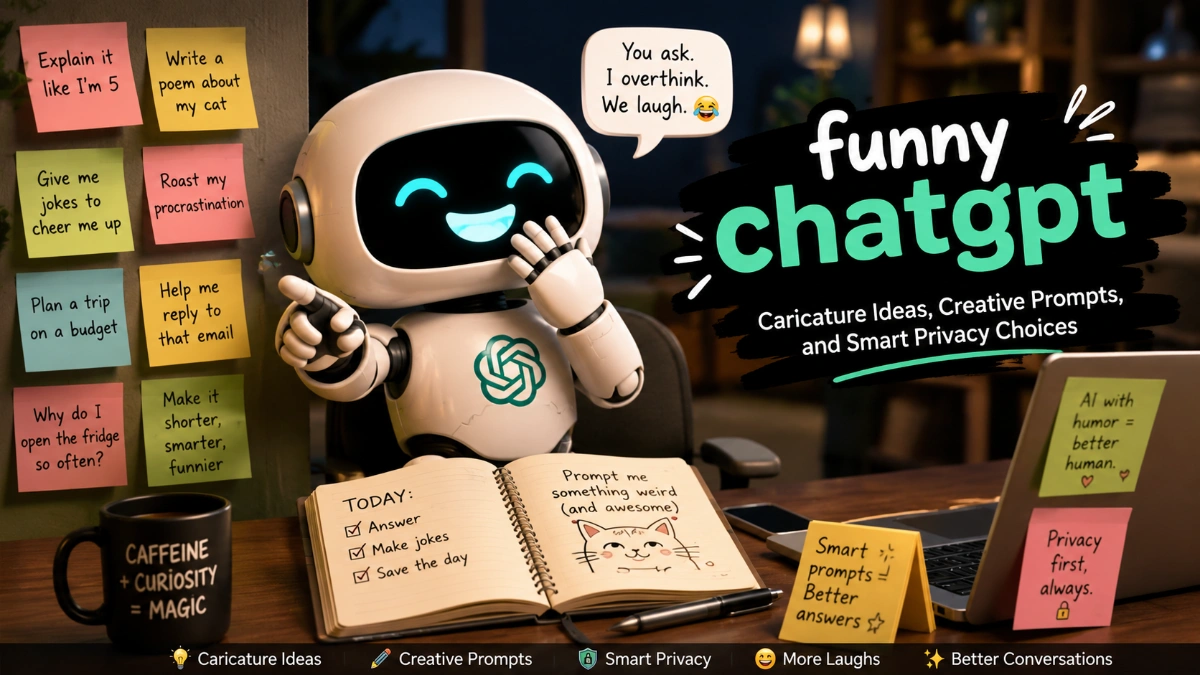
funny chatgpt: Caricature Ideas, Creative Prompts, and Smart Privacy Choices A funny chatgpt experience can turn ordinary conversations, ideas, and images into entertaining digital creations. From humorous jokes and creative roleplay to AI-generated portraits and imaginative prompts, people are using ChatGPT as a tool for creativity and personal expression. One popular trend is creating AI […]
funny chatgpt: Caricature Ideas, Creative Prompts, and Smart Privacy Choices
A funny chatgpt experience can turn ordinary conversations, ideas, and images into entertaining digital creations. From humorous jokes and creative roleplay to AI-generated portraits and imaginative prompts, people are using ChatGPT as a tool for creativity and personal expression.
One popular trend is creating AI caricatures — cartoon-style portraits that transform a person’s photo, personality, hobbies, or interests into a playful illustrated character. These creations combine humour, storytelling, and artificial intelligence while allowing users to explore different versions of themselves.
However, creating entertaining AI content is not only about getting a funny result. It is also about choosing what information to share, understanding privacy settings, and controlling how personal details influence the final output.
What Makes ChatGPT Entertaining?
The popularity of funny chatgpt ideas comes from the ability of AI to generate unexpected, creative, and humorous responses. Users often experiment with unusual instructions, fictional scenarios, and playful challenges.
Common examples include:
- Asking ChatGPT to explain a serious topic like a comedian
- Creating fictional characters based on hobbies
- Turning daily habits into superhero stories
- Writing imaginary movie scenes
- Generating funny captions and jokes
- Creating cartoon versions of personal interests
The best results usually come from giving ChatGPT a clear creative direction while leaving enough room for imagination.
What Is a ChatGPT Caricature?
A ChatGPT caricature is a cartoon-style AI portrait created from a personal photo and a carefully written prompt. The trend combines humour, creativity, and personal storytelling by transforming everyday people into exaggerated illustrated characters.
A good AI caricature is not only about making someone look funny. It is about selecting meaningful details, such as hobbies, careers, or interests, while avoiding unnecessary private information.
For example, a caricature could show:
| Person | Creative Concept |
| Developer | Designing a futuristic robot world |
| Cricket fan | Celebrating in a fantasy stadium |
| Writer | Surrounded by magical books |
| Chef | Creating impossible imaginary dishes |
| Student | Becoming a superhero character |
These concepts work because they mix personal identity with imagination.
What Makes a ChatGPT Caricature More Personal?
A personalised AI portrait does not require sharing every detail about yourself. A simple creative brief with safe information can create a strong result.
You can provide:
- A general profession or role
- A hobby or interest
- A preferred art style
- A fictional environment
- Safe visual elements
Avoid adding:
- Home addresses
- Workplace identifiers
- Private documents
- Personal account information
- Sensitive personal details
A controlled prompt gives you more creative ownership while reducing unnecessary exposure.
Funny ChatGPT Prompts to Try
Creative prompts are one of the easiest ways to explore AI entertainment.
Here are some ideas:
- Turn my daily routine into a superhero origin story.
- Roast my personality like a professional comedian.
- Create a cartoon version of me as the CEO of a fictional company.
- Turn my hobby into a fantasy adventure scene.
- Imagine my pet as my business partner.
- Create a movie poster based on my personality.
- Turn my job into a humorous comic-book character.
- Describe me as a character from a fictional universe.
- Create a ridiculous invention based on my interests.
- Make a playful cartoon scene showing my dream lifestyle.
More creative funny chatgpt experiments include asking AI to create imaginary awards, fictional interviews, parody advertisements, or unusual storytelling challenges.
Write a Safer and More Creative Prompt
A viral style of prompting often asks AI to create something “based on everything you know about me.” While this can produce interesting results, a more controlled prompt usually gives better privacy and creative control.
Example:
“Create a warm, humorous caricature from this photo. I am a [broad role] who enjoys [hobby]. Show me in a [general setting] with [two or three safe props]. Keep the portrait recognisable. Use a cartoon or editorial illustration style. Do not include readable text, brand logos, exact locations, workplace identifiers, or other people.”
This approach gives AI enough creative direction without revealing unnecessary information.
Create and Refine an AI Image
ChatGPT Images can create and edit images from descriptions and uploaded photos. A strong workflow usually involves several steps:
- Select a clear photo.
- Remove visible documents, badges, or location clues.
- Add a creative prompt.
- Review the first result.
- Request specific improvements.
Useful editing requests include:
- “Remove the background text.”
- “Make the facial exaggeration more subtle.”
- “Change the outfit to a casual style.”
- “Remove logos and identifying details.”
A strong funny chatgpt image often comes from refining the first version instead of starting over repeatedly.
Keep Memory Optional
Some users prefer AI creations that feel highly personalised. When Memory or Reference Chat History features are enabled and available, relevant information may influence responses.
However, Memory is not required. A self-contained prompt can create a personalised image without using previous conversations.
For more control:
- Provide details only in the current conversation.
- Avoid sensitive personal information.
- Review account settings before uploading photos.
Review Data Controls Before Creating Images
Memory, chat history, and data controls manage different parts of the ChatGPT experience.
| Feature | What It Controls |
| Memory / Reference Chat History | Whether relevant previous context can help personalise responses |
| Data Controls | Whether new chats may be used to improve OpenAI models |
| Temporary Chat | Keeps conversations out of history, prevents memory creation, and is deleted after a limited period according to OpenAI policies |
Before creating an AI portrait, understand which settings are active and choose the level of personalisation you are comfortable with.
Think Before Sharing Your AI Portrait
Creating an image and publishing it online are two different decisions.
A final AI portrait may combine:
- Your face
- Your hobbies
- Your profession
- Background details
- Personal interests
- Location clues
Before sharing, review:
- The original photo
- The prompt used
- The final image
- Background elements
Avoid sharing images containing:
- Children without consent
- Identification documents
- Access badges
- School or workplace information
- Private locations
- Other people who did not agree to appear
A creative AI image can be enjoyable while still requiring thoughtful sharing decisions.
Editorial and Privacy Approach
This article focuses on responsible AI creativity. AI-generated images and conversations can be fun and expressive, but users should make informed choices about what they upload, create, and publish.
Frequently Asked Questions
funny chatgpt refers to humorous uses of ChatGPT, including jokes, creative prompts, playful conversations, entertaining AI experiments, and imaginative image ideas.
ChatGPT can create humorous stories, fictional characters, comedy-style responses, creative challenges, cartoon concepts, and unusual roleplay scenarios.
It is a trend where users upload a personal image and ask ChatGPT to transform it into an exaggerated cartoon-style portrait based on personality, hobbies, or creative themes.
Use a controlled prompt with a broad role, general setting, safe props, and preferred art style. Avoid adding private information, exact locations, documents, or workplace identifiers.
Yes. ChatGPT Images can create and edit images from prompts. Users can request humorous styles, cartoon effects, creative scenes, and personalised illustrations.
No. A detailed current prompt can create a personalised image without relying on saved memories or previous conversations.
Remove or crop badges, documents, school details, workplace identifiers, location clues, vehicle information, children, and anyone who has not agreed to be included.
People share them because they combine humour, creativity, and personal identity. A carefully designed image can feel like a digital cartoon version of someone’s interests and personality.