






Apple Carplay Not Working: 9 Proven Fixes to Get It Running Again When Apple CarPlay not working strikes, the cause almost always falls into one of three buckets: a wired connection problem, a wireless connection problem, or a setting silently blocking the feature. CarPlay only functions when your vehicle supports it and your iPhone runs […]
Apple Carplay Not Working: 9 Proven Fixes to Get It Running Again
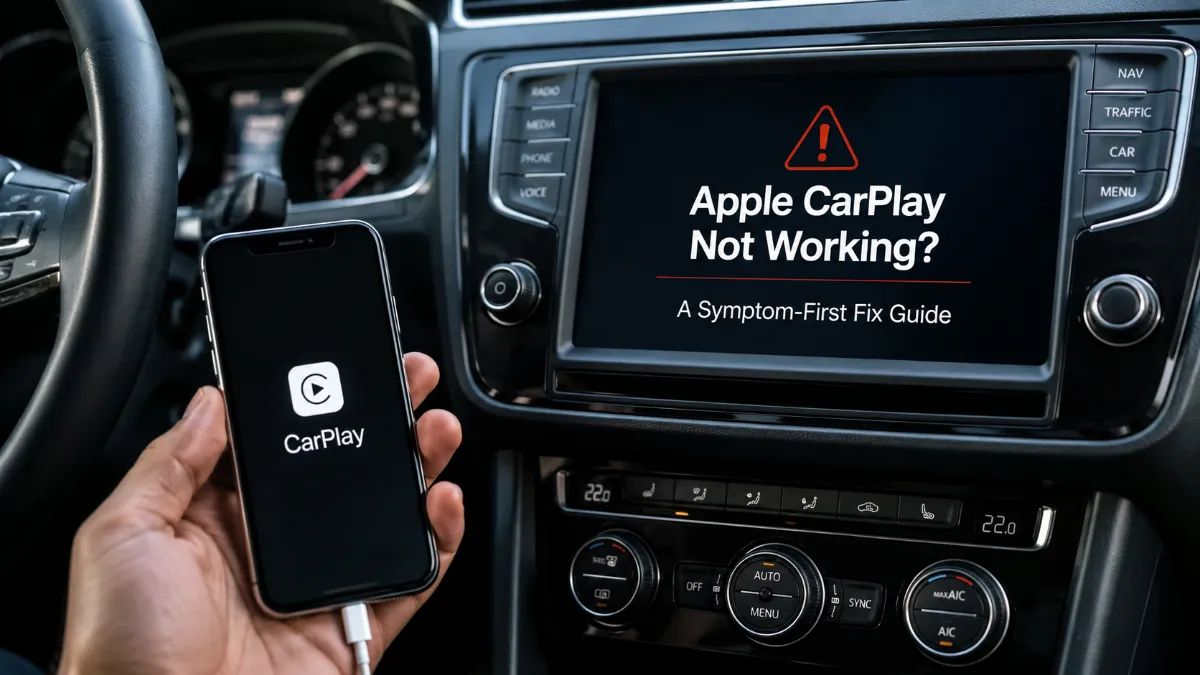
When Apple CarPlay not working strikes, the cause almost always falls into one of three buckets: a wired connection problem, a wireless connection problem, or a setting silently blocking the feature. CarPlay only functions when your vehicle supports it and your iPhone runs a compatible iOS version, so confirming that baseline first saves you from chasing the wrong fix.
Diagnose Your CarPlay Symptom First
The fastest fix depends entirely on how you connect. Match your symptom to the right starting point instead of working through every fix in order.
| Your symptom | Likely cause | Where to start |
| Wired CarPlay won’t launch, iPhone only charges | Cable or port lacks data support | Cable and USB port check |
| Wireless CarPlay won’t connect or drops randomly | Bluetooth/Wi-Fi/Auto-Join misconfigured | Wireless settings check |
| Works in one car, fails in another | Stale pairing record or vehicle-side issue | Forget This Car and re-pair |
| Started right after an iOS update | Possible iOS 26.x-related bug | iOS update section below |
Fixing Wired Apple CarPlay Not Working Issues
Wired Apple CarPlay not working is frequently a cable problem disguised as a software problem. Many USB cables and ports are built for charging only and don’t carry the data signal CarPlay needs, so an iPhone can charge normally while CarPlay never launches.
If you’ve recently switched to a USB-C-to-Lightning adapter to bridge a newer iPhone to an older Lightning-based car system, that adapter itself is a common point of failure and worth testing without it. Try the manufacturer’s original cable, plug directly into the port labeled for CarPlay or USB (not an auxiliary charging-only port), and restart both the iPhone and the vehicle’s infotainment system.
If Apple CarPlay not working persists on wired connections after these checks, the fault is more likely software-side than cable-side, and the sections below apply.
Fixing Wireless Apple CarPlay Not Working Issues
Wireless Apple CarPlay not working almost always traces back to an incomplete connection setup. Wireless CarPlay requires Bluetooth and Wi-Fi to both be turned on, plus Wi-Fi Auto-Join enabled — Bluetooth alone is not sufficient, and this is the single most overlooked cause of wireless failures. Confirm all three settings under Settings > Bluetooth and Settings > Wi-Fi before assuming a deeper problem exists.
VPN apps or third-party security software on the iPhone can also interfere with the network functions wireless CarPlay depends on, since these tools sometimes block the local network traffic CarPlay uses to communicate with the vehicle. Temporarily disabling any active VPN and retrying the connection isolates whether this is the cause.
Forget This Car and Re-Pair
When Apple CarPlay not working affects only one specific vehicle while others work fine, a corrupted pairing record is the likely culprit. Go to Settings > General > CarPlay, select the affected vehicle, and choose “Forget This Car” — this removes only the pairing information and does not delete photos, contacts, or any personal data.
After forgetting the car, reconnect via cable or Bluetooth as if pairing for the first time; most single-vehicle failures resolve at this step.
Check Screen Time and Siri Settings
Two settings unrelated to connections can silently disable CarPlay entirely. Screen Time’s Content & Privacy Restrictions include an Allowed Apps list, and if CarPlay isn’t permitted there, the feature won’t launch regardless of cable or wireless status. Check Settings > Screen Time > Content & Privacy Restrictions > Allowed Apps and confirm CarPlay is enabled.
Separately, Siri must be turned on for CarPlay to operate correctly, since CarPlay’s setup and voice functions depend on it being active. Verify this under Settings > Siri & Search if the previous checks haven’t resolved the issue.
Reset Network Settings as a Deeper Fix
If Apple CarPlay not working continues despite the checks above, resetting network settings clears saved Wi-Fi networks, Bluetooth pairings, and VPN configurations that may have become corrupted, while leaving photos, apps, and other personal data untouched. This is found under Settings > General > Transfer or Reset iPhone > Reset > Reset Network Settings.
Because this step removes all saved Wi-Fi passwords, it’s worth trying after the more targeted fixes above rather than as a first move.
Is iOS 26 Causing Apple CarPlay Not Working Problems?
A wave of user reports links Apple CarPlay not working to iOS 26.x updates, describing dropped wireless connections and audio glitches after updating. These reports are real and consistent across Apple’s own community forums, but they haven’t been confirmed as affecting all devices or as a single universal bug — treat this as a plausible contributing factor rather than a guaranteed explanation for every case.
As of this guide’s verification in August 2026, Apple’s iOS 26.6 developer release notes list no CarPlay-specific fix, so updating to the latest iOS is worth doing as routine maintenance but shouldn’t be assumed to resolve update-related CarPlay problems on its own. If a wired workaround restores function while wireless CarPlay not working persists, that’s a signal the issue is update-related rather than hardware-related.
Check Vehicle Compatibility Before Assuming a Software Fault
CarPlay support isn’t uniform even within the same car brand — wired support, wireless support, and CarPlay availability at all can differ by model year and trim level, even for vehicles that look identical from the outside. If Apple CarPlay not working coincides with a new or used car purchase, confirm with the manufacturer or dealer exactly which CarPlay mode your specific trim supports before spending more time on settings.
This distinction matters because no amount of cable-swapping or network resetting fixes a vehicle that only supports wired CarPlay when you’re expecting wireless.
When to Contact Apple or Your Vehicle Manufacturer
If none of the above resolves Apple CarPlay not working, the next step depends on where the pattern points. If the same iPhone fails across multiple compatible vehicles, or if fixes work temporarily and then break again after each iOS update, that pattern points toward Apple support and a software-side issue rather than the car itself. If only one vehicle is affected and compatibility is confirmed, the vehicle manufacturer’s own support line is the more direct path.
Frequently Asked Questions
Apple’s iOS 26.6 developer release notes do not list a CarPlay-specific fix, so updating alone isn’t guaranteed to resolve update-related CarPlay problems, though keeping iOS current is still good general practice.
Many charging cables and ports carry power but not the data signal CarPlay requires, so charging normally while CarPlay fails to launch usually points to a cable or port issue rather than a software fault.
No — wireless CarPlay needs Bluetooth, Wi-Fi, and Wi-Fi Auto-Join all enabled together; having Bluetooth on with Wi-Fi or Auto-Join off is a common reason wireless CarPlay fails to connect.
No, “Forget This Car” only removes the pairing record between your iPhone and that vehicle; it does not delete photos, contacts, messages, or any other personal data.
This pattern usually points to a corrupted pairing record in the affected vehicle rather than a broader iPhone problem, and it’s typically resolved by forgetting that car and re-pairing it.
It clears saved Wi-Fi networks, Bluetooth pairings, and VPN configurations, but it does not erase photos, apps, or other personal data stored on the device.
Yes, VPN or security apps can interfere with the local network functions wireless CarPlay relies on, so disabling any active VPN is worth testing if wireless CarPlay won’t connect.
No, CarPlay support — and whether it’s wired, wireless, or both — varies by vehicle brand, model year, and trim, so a touchscreen alone doesn’t guarantee compatibility.